
Monitoring setup
Connect supported portals, confirm customer access, and explain the main live and historical views.
Aftercare and monitoring
Monitoring setup, normal operating patterns, alerts, product records, and warranty pathways are explained so support does not begin with guesswork.
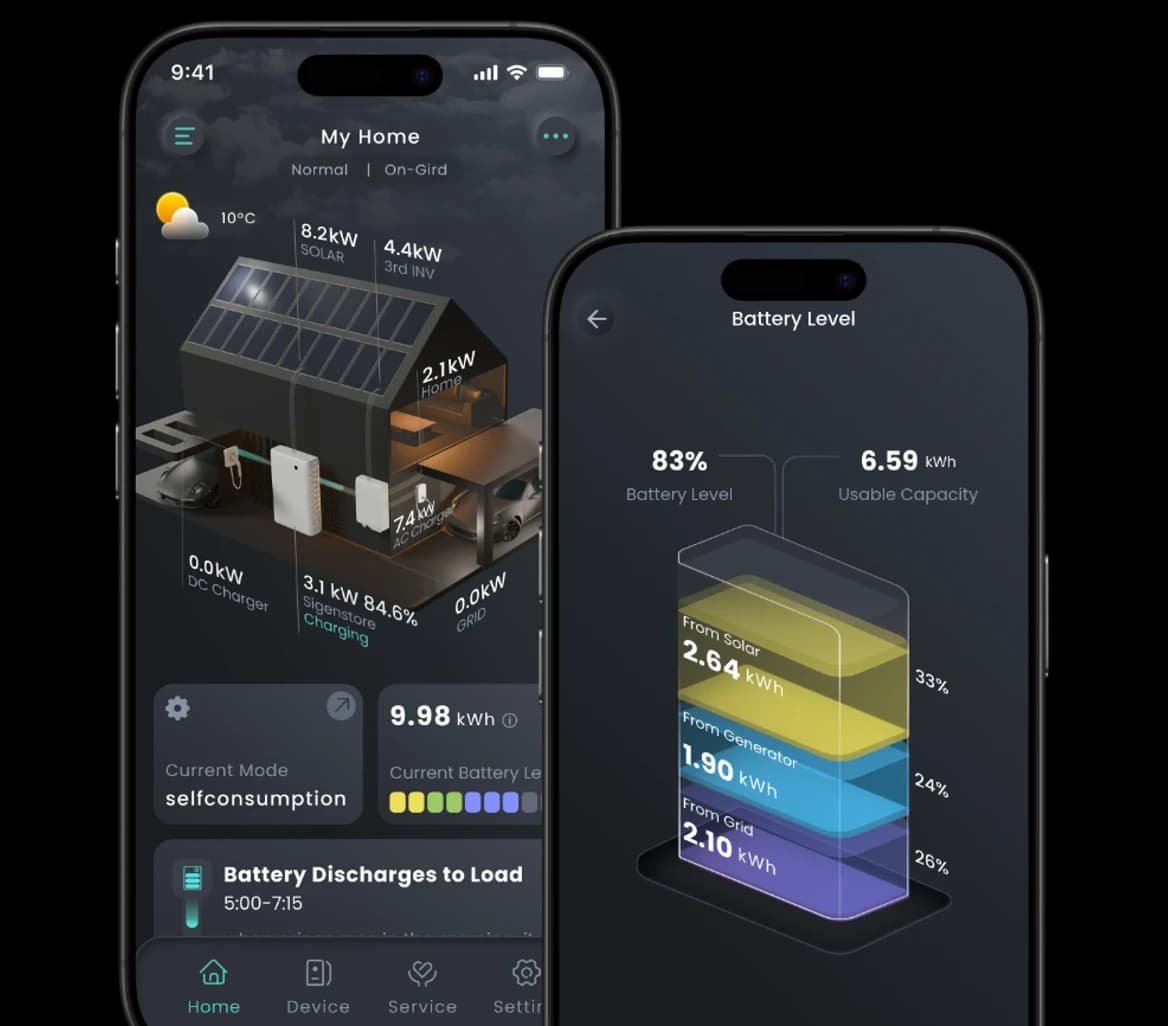
Monitoring is a visibility layer. Its connectivity, product, and platform limits should remain clear.
Support scope
Monitoring works best when access, records, expectations, and the first response to an alert are established during handover.
Connect supported portals, confirm customer access, and explain the main live and historical views.
Show expected generation, battery charge and discharge, grid flow, and seasonal variation.
Keep product records and define what information is useful when reporting an alert or unusual result.
First review
An app warning does not always mean a system fault, and missing data does not prove the system stopped producing.
Confirm the correct portal, customer login, site ownership, and any installer access permissions.
Review Wi-Fi, dongle, gateway, and last reporting time before interpreting a data gap.
Compare current flow and history with weather, load, operating mode, and known system settings.
Use product model, serial, install date, configuration, and previous support history to guide escalation.
Decision path
Capture the warning, timestamp, app view, current flow, and any change noticed at the property.
Separate account or communication issues from unusual system or equipment behaviour.
Confirm the likely cause, monitoring limits, and the safest useful next step.
Where required, assemble records and coordinate the correct installer, manufacturer, or warranty pathway.
System visibility
Home load, grid import and export, solar production, battery state, and historical trends provide context. They are not a substitute for safe on-site diagnosis when it is required.
Clear limits
Remote monitoring depends on compatible equipment, an active internet connection, correct permissions, and manufacturer platforms.
Next step
Screenshots, timestamps, product information, and a short description make the first review more useful.